Salem Dimes
User Experience Researcher specializing in human-centered design and translating user feedback into actionable insights. Passionate about social impact and creating meaningful experiences for underserved communities.
Selected Work
Connecting Mothers Initiative: Maternal Resource Hub
Design and conduct end-to-end user studies to evaluate the support needs of birth givers, translating user feedback into actionable insights to improve a communal maternal resource hub.
Read Case Study 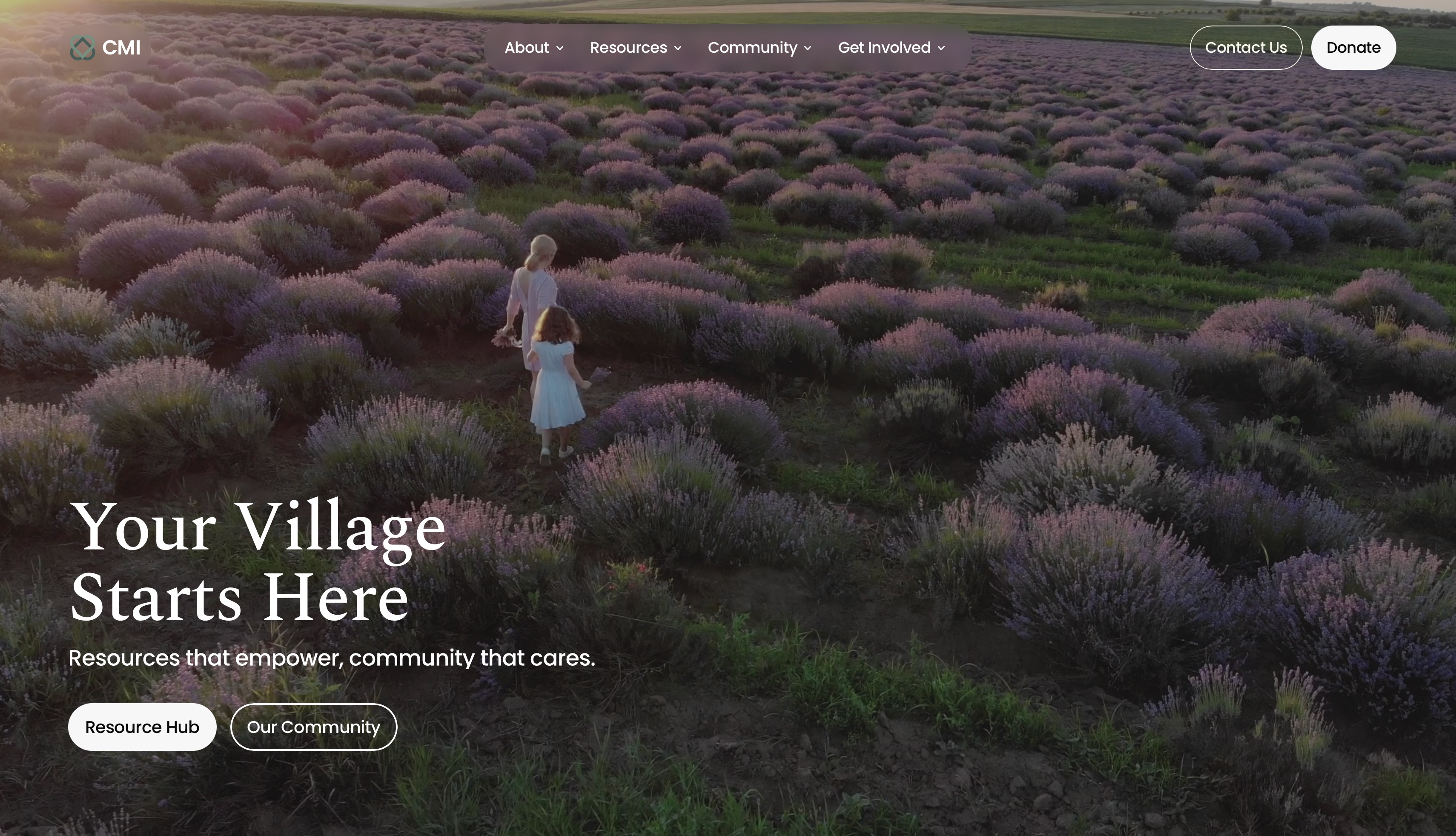
Comfort in Apple Vision Pro
Led human‑centered studies on Vision Pro comfort to inform intuitive, ergonomic product decisions.
Read Case Study
View From My Seat
Enhancing the cinematic experience through user research and design.
Read Case Study
About

I have a BS in Computer Engineering and a minor in Psychology, focused on User Experience Research. With exposure to clinical settings through my work in applied behavioral therapy, my background informs how I approach research today. I design and lead human‑centered studies that critically explore complex design spaces to community members.
I aim to give them the opportunity to be part of the creative and design process and not only be a “consumer.”
In my free time, I enjoy going to the movies and playing basketball!
O N G O I N G U S E R E X P E R I E N C E R E S E A R C H
Connecting Mother's Initiative:
Matenal Resource Hub
The CMI Resource Hub is "a centralized, easy-to-navigate platform designed to connect mothers and birth-givers across the U.S. with essential, vetted resources."
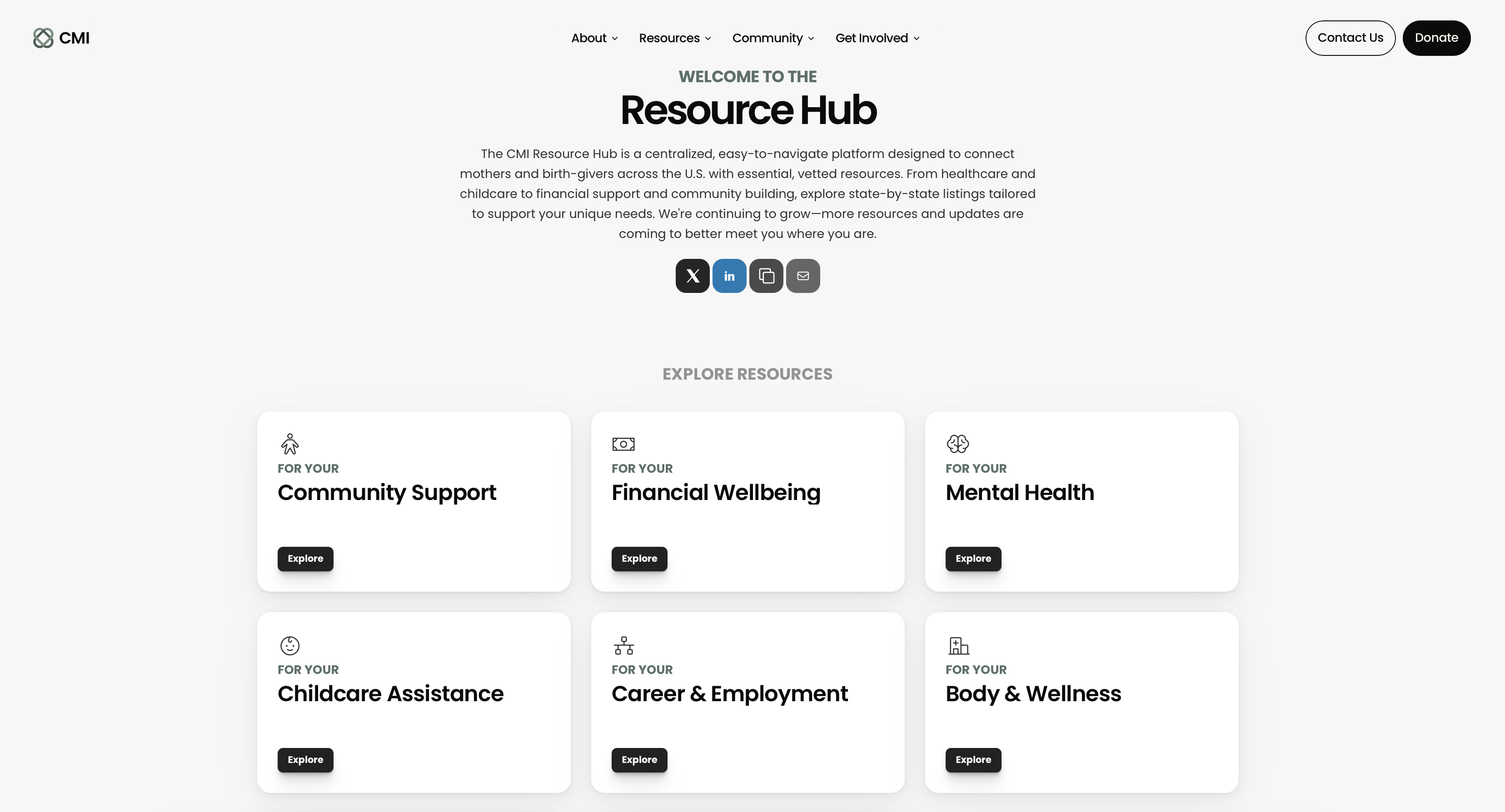
Overview
CMI’s product hub connects mothers and birth givers to accessible resources that support emotional, physical, and economic stability. It consolidates community‑informed tools into a single, trusted platform.
Problem Statement
This research aims to understand the needs of mothers and birth givers in relation to a parenting resource platform. It further seeks to identify the types of content that are most valuable to them, the barriers that limit access to or use of parenting support, and the trust factors that shape how they find, evaluate, and engage with such resources.
Key Challenges
Key Challenges
- Identifying and recruiting participants that meet inclusion criterion— military families.
- Interpreting subjective feedback and transforming it into clear, actionable recommendations that product and design teams can implement.
My Role
Led UX workshops to conduct collaborative thematic analysis with stakeholders, while also designing and executing surveys and in-depth user interviews to observe how mothers and birth givers evaluate parenting resources outside of CMI.
Research Methods
- Survey Design & Analysis
- User Studies & Interviews
- Co-Design Workshops
Research Process

Approach
1. Pre-Interview Screening Survey
- Recruited 8-15 mothers (aged 28-40, with children under 18) who are available for 1-hour sessions.
- Review results to identify patterns and inform participant selection for interviews.
2. One-on-One Interviews & Observations
- Conducted 1 hour interviews to understand personal experiences.
- Collected behavioral data to uncover pain points and opportunities for more accessible, equitable design.
3. Data Analysis & Synthesis
- Coded raw participant quotes using Atlas.ti to organize the data.
- Designed and facilitated UX workshops in Miro to visualize and cluster findings collaboratively.
- Led stakeholders through thematic synthesis to identify patterns.
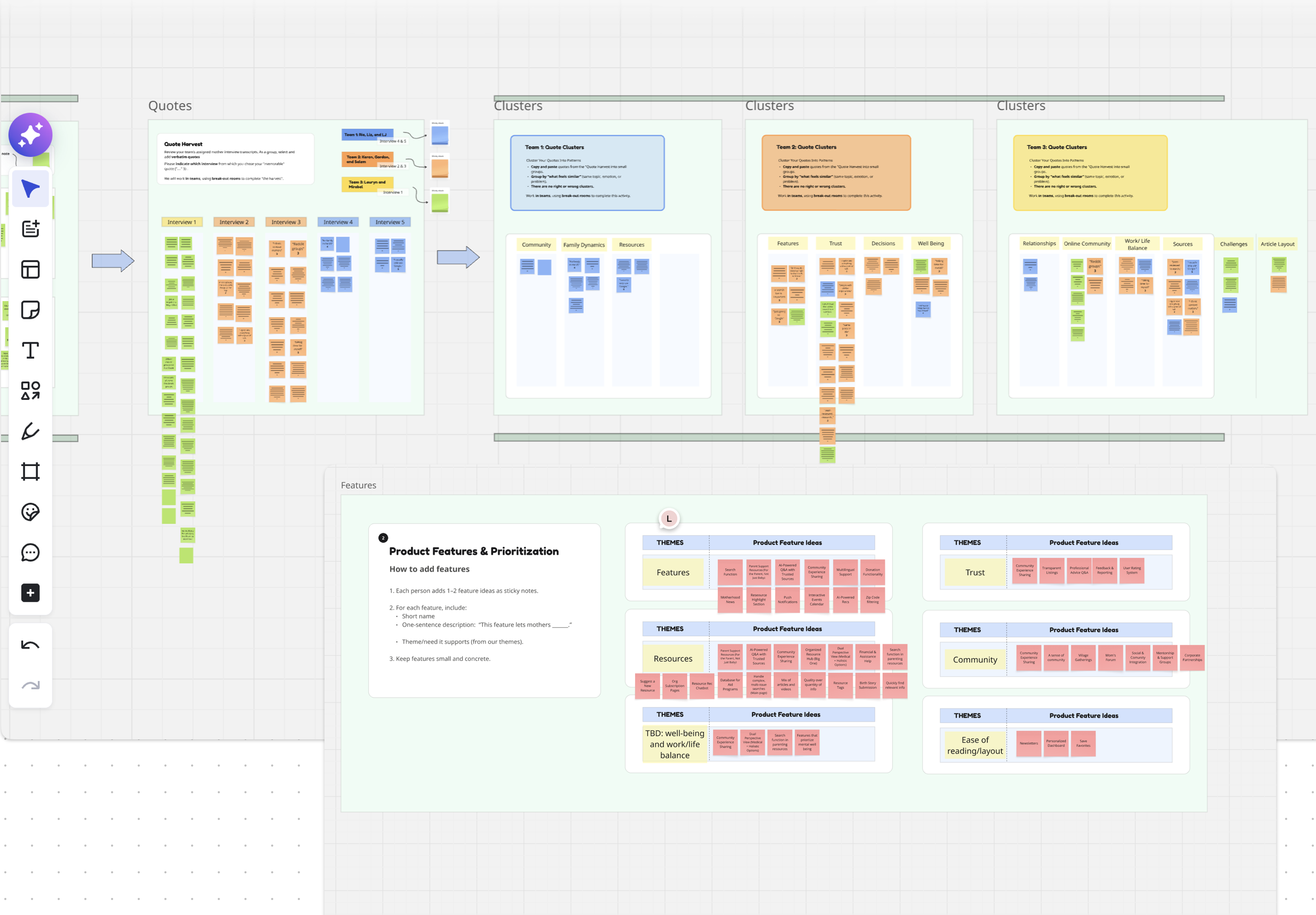
(UX Workshop) Miro board of raw quote clusters translated into generalized themes
...if there was a way to have it organized, “Here are all the resources for just feeding. Here are some resources for sleep. Here are resources for broader topics”…
Findings
Over the course of six months, I ideated with and collected data from mothers and birth givers to understand their needs and expectations for a reimagined resource hub.
The overarching themes that emerged from my research informed design decisions for the upcoming CMI resource hub:
The overarching themes that emerged from my research informed design decisions for the upcoming CMI resource hub:
- A space for comfort and emotional support.
- Integrated user review system.
- AI‑powered Q&A that surfaces answers from trusted sources.
- A multi‑functional hub that adapts to different needs.
Impact
My research and the resulting workshop directly shaped design decisions for the unreleased revamped resource hub, aligning its structure, content organization, and trust features with mothers’ real needs and behaviors.
What's Next?
- Second round of interviews to explore how users interact with reviews and trust markers
- A/B usability testing of the revamped resource hub
Comfort in Apple Vision Pro
An exploration of Apple Vision Pro and how this research can influence the design of a more comfortable user experience.
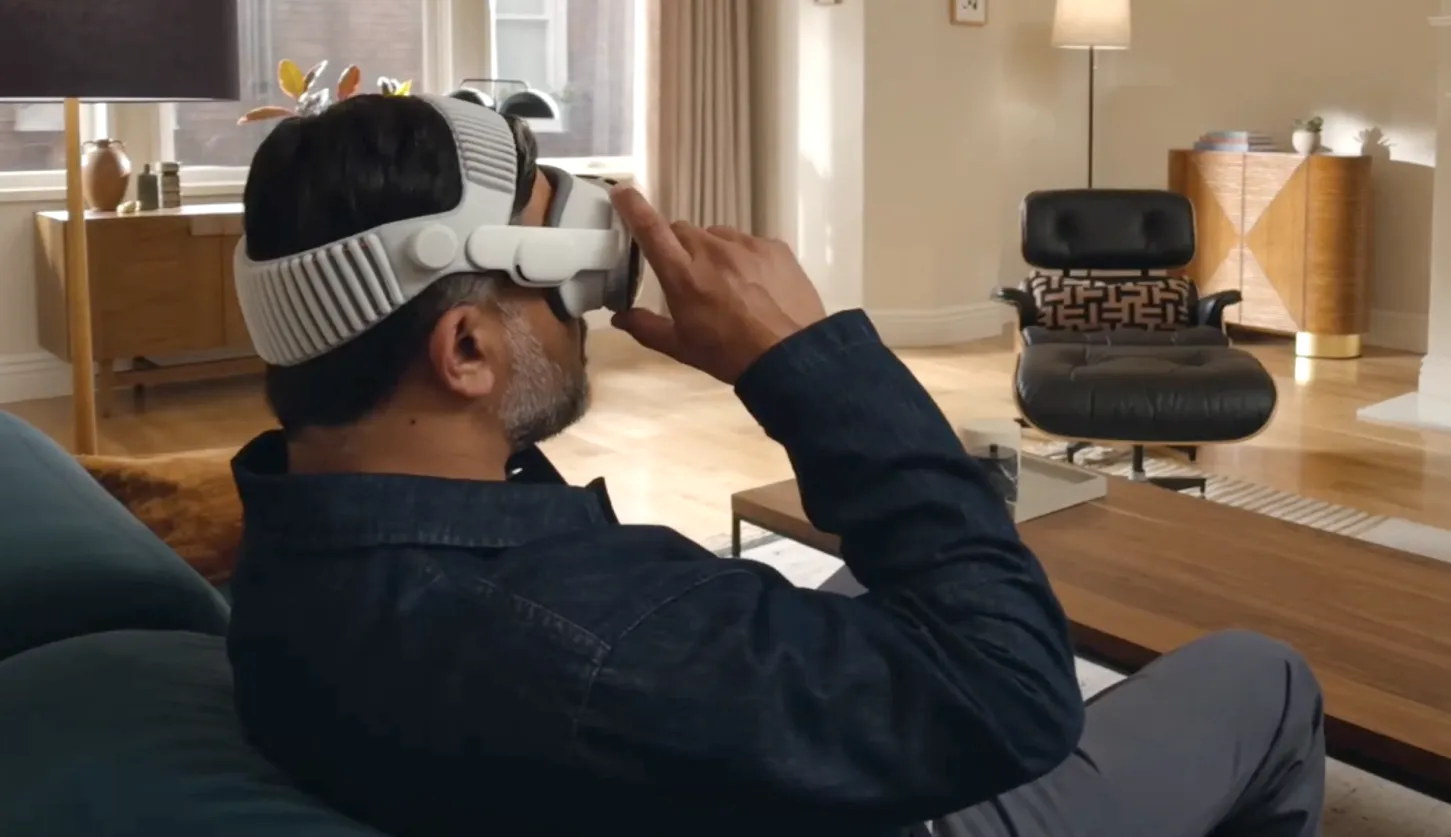
Apple Vision Pro featuring the Dual Knit Band, as shown on Apple’s website.
Overview
The Apple Vision Pro enables immersive productivity and entertainment by blending digital content with the physical world, making comfort a central factor in how users adopt and sustain longer experiences.
Problem Statement
For Apple Vision Pro to support meaningful everyday use, from extended work sessions to immersive entertainment, users must feel physically and visually comfortable wearing the headset for longer durations. If comfort is compromised, even the most advanced features risk being abandoned due to fatigue, discomfort, or distraction.
Key Challenges
Key Challenges
- Bias from Vision Pro owners who may downplay discomfort.
- Conflicting signals of moderate discomfort yet willingness to keep using the device.
My Role
Design and execute 100+ in‑depth user interviews, observational studies, and comfort check‑in protocols to assess physical and visual comfort, across diverse usage scenarios and environments. Then compile and offload data using Apple’s proprietary data collection software for analysis by engineers and researchers.
Research Methods
- Survey Design & Analysis
- User Studies & Interviews
- Protocol Design
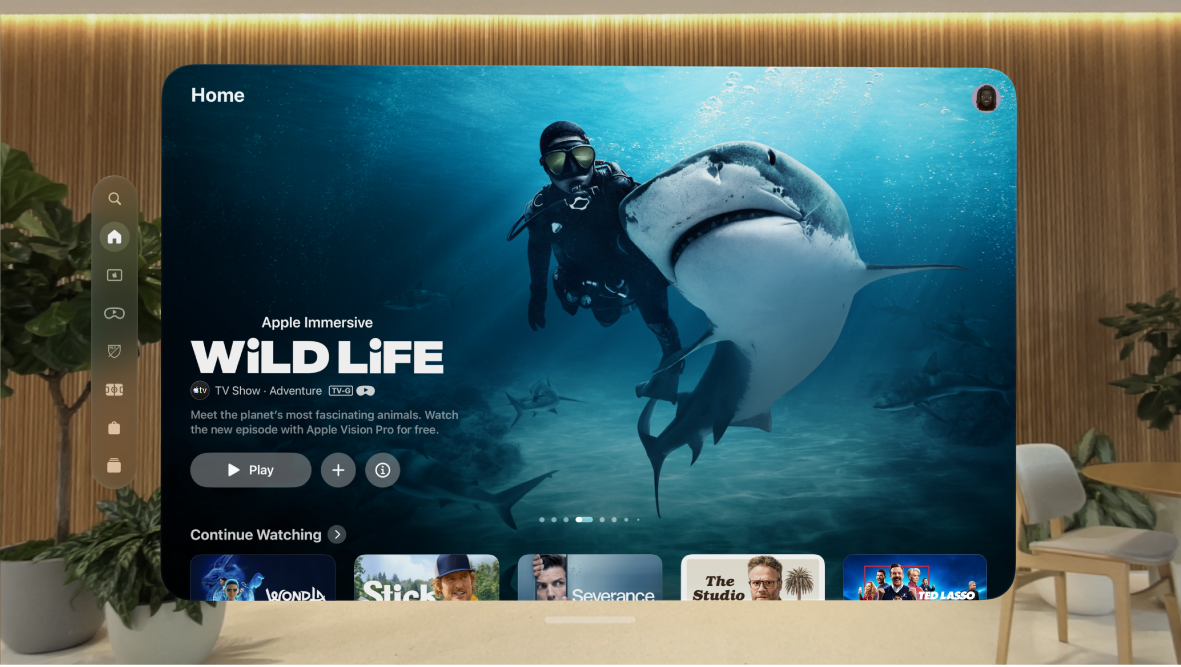
Apple TV on the Vision Pro using passthrough mode, as seen on the Apple website.
"...I would rate my physical discomfort as a 3, moderate discomfort, because the weight is straining my neck..."
Research Process
Collaborate with cross-functional teams, including research scientists and study manager, to collect quantitative and qualitative data on a user's physical and visual comfort.
Design and conduct in-depth user interviews, user studies, and surveys to quantify user comfort.
Design and conduct in-depth user interviews, user studies, and surveys to quantify user comfort.
- Calibrate and troubleshoot Vision Pro hardware.
- Ensure participants are guided through the enrollment process smoothly and naturally
- Collect and offload data to researchers using proprietary data collection software
Impact
Support data analysis pipelines and help translate findings into actionable recommendations. Provided data and recommendations to stakeholder teams to support improved comfort and usability in future designs.
Contribute to ongoing improvements in research operations, including protocol documentation, testing setup efficiency, and multi-device study reliability.
Contribute to ongoing improvements in research operations, including protocol documentation, testing setup efficiency, and multi-device study reliability.
- Led protocol revisions that increased efficiency across all user study sessions by 20% without compromising data.
View From My Seat
Designing a movie ticketing feature to reduce uncertainty and improve confidence in theater seat selection through evidence‑driven design.
Overview
Modern audiences increasingly care about how a movie fills the screen and how it feels in the theater, not just which title they’re watching. Premium large‑format showings tend to sell out faster and command higher ticket prices, signaling that people are not only choosing IMAX—they’re also paying attention to which seats they pick within those screens.
Problem Statement
Movie goers buy tickets without knowing how their seat will actually feel. Sitting too close can cause neck strain and distortion, while sitting too far can make the image feel small and less immersive.
These mismatches between expectation and reality can create buyers remorse, where the experience feels underwhelming or physically uncomfortable.
Key Challenges
These mismatches between expectation and reality can create buyers remorse, where the experience feels underwhelming or physically uncomfortable.
Key Challenges
- Sample bias is a major risk because frequent moviegoers may dominate, leaving out occasional or first‑time attendees.
- Photos of the view often may not match the in‑person experience.
Research Methods
- Literature Review
- Thematic Analysis
- Iterative Design
"Every time I go to a theater I haven’t been to before, I struggle to figure out the best seat just from the seatmap..."
Research Process
A literature‑style review of online user reviews, comments, and polls was conducted to understand how people describe seat views and buyer’s remorse in movie theaters.
Identified recurring pain points and synthesize them into core themes:
Identified recurring pain points and synthesize them into core themes:
- lack of guidance beyond the seatmap.
- Desire for data‑driven seat popularity cues.
- Difficulty choosing seats in unfamiliar theaters.
- Overpaying for premium seats with a underwhelming screen size.
Design decisions were then informed by these four core themes, which together reveal a clear design opportunity.
Design Opportunity

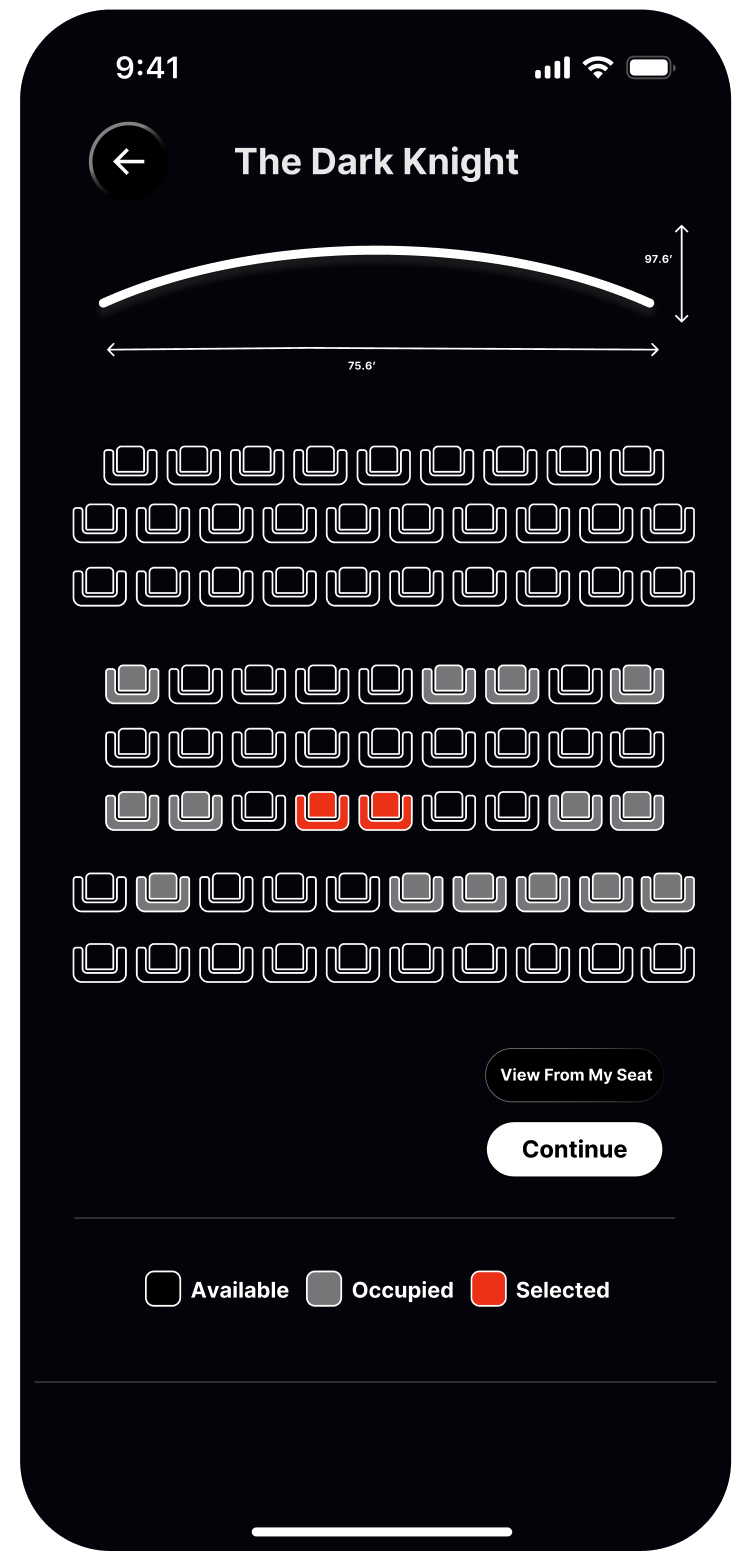

Figma frames simulating the user journey in a movie ticketing application.
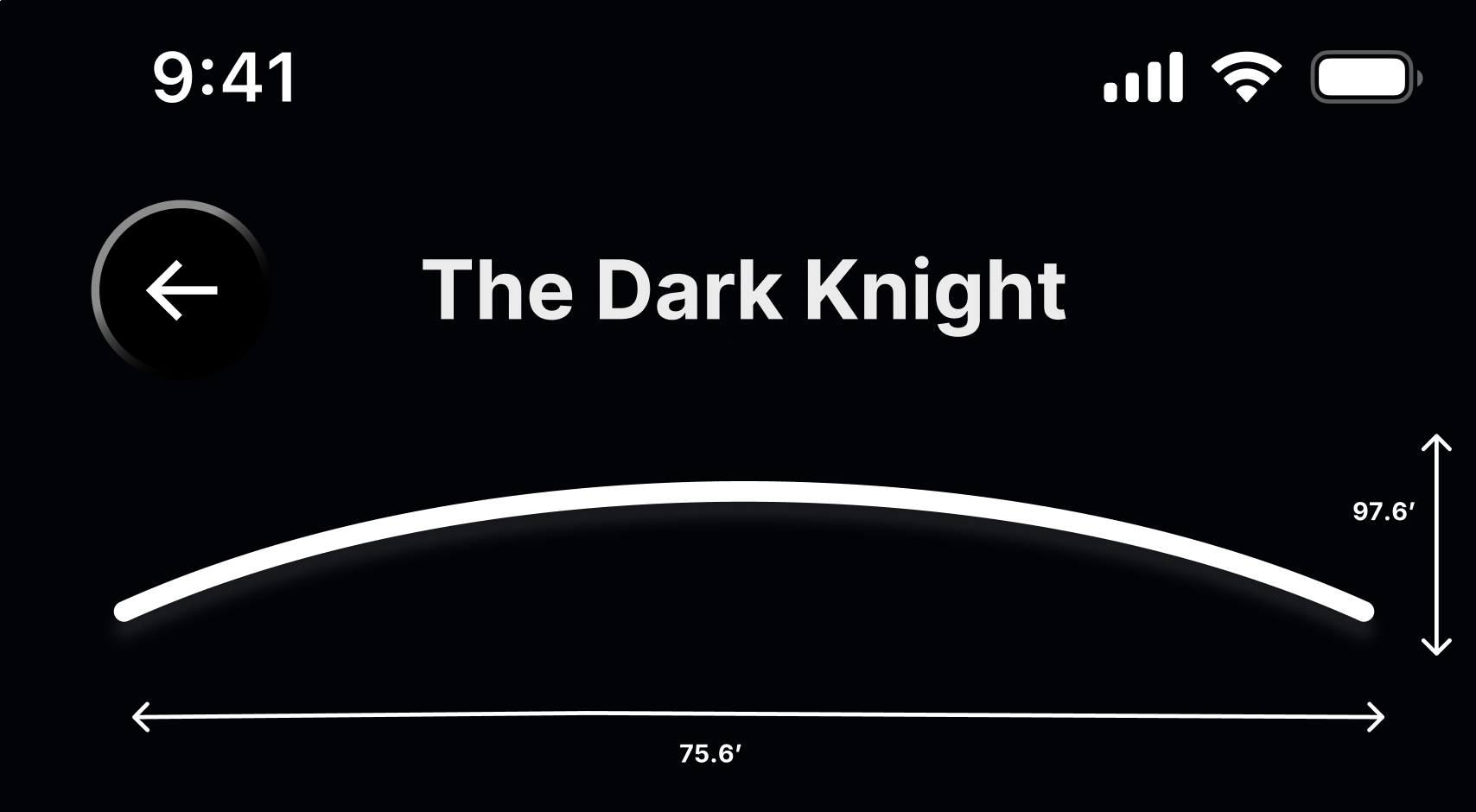

Current movie ticketing flows treat seat maps as abstract grids, hiding the relationship between row, angle, and how much of the screen actually fills the viewer’s field of view.
Integrating screen dimensions directly into the design surfaces that relationship.
Integrating screen dimensions directly into the design surfaces that relationship.
- In the UI, each auditorium can display a small, labeled screen outline sitting above the seat map.
Once the user has selected a seat, they may choose "View From My Seat" to preview the immersion, distance, and sightlines before checkout.
- This preview anchors their choice in a real‑world perspective.